Renewal Reminders
You may want to display personalized content to users based on the expiration date of their membership. This can be achieved using conditionals and AMS Connect for WP's utility shortcode ams-date.
BEAVER BUILDER
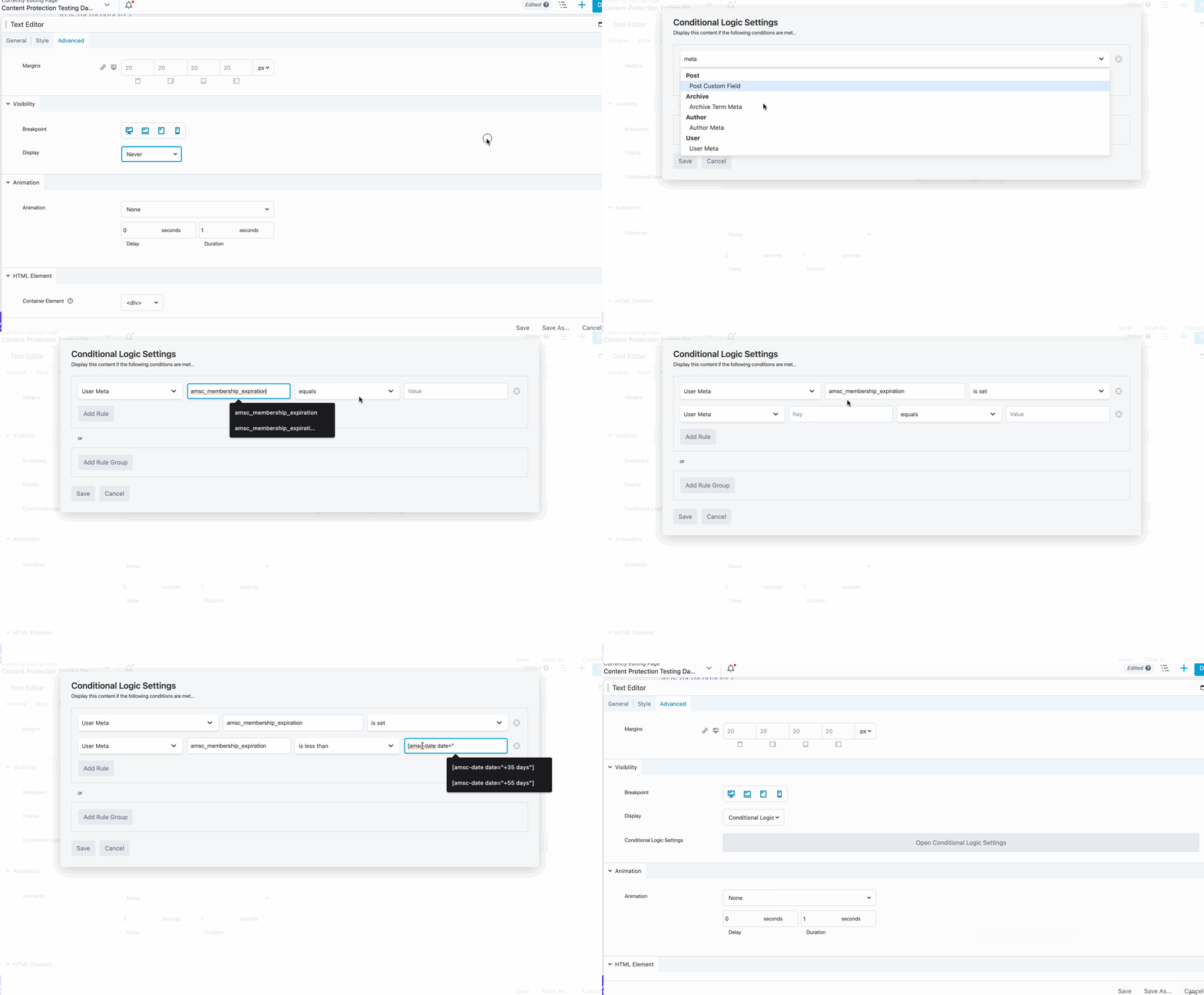
With Beaver Builder, you can use the the Advanced Conditional Logic Visibility setting to show modules based on a user's membership, or other, expiration date.
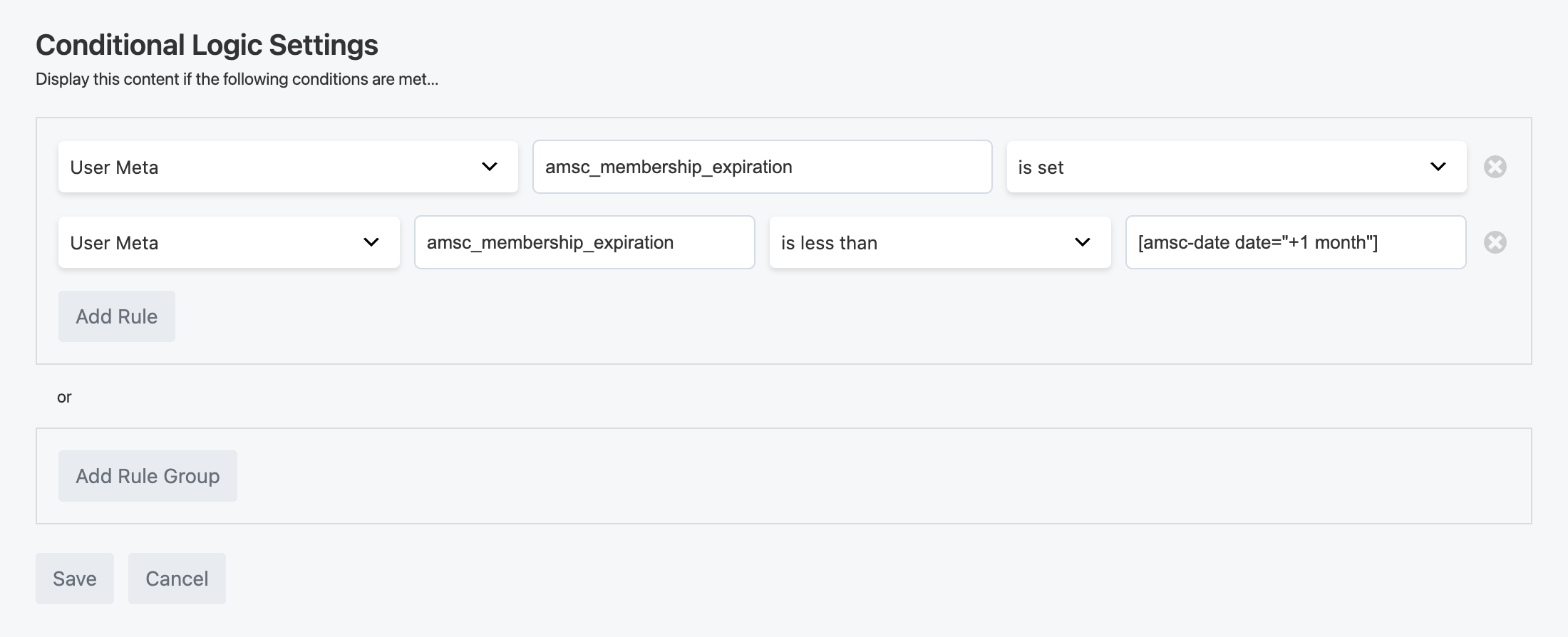
Example: Membership Expiration Coming Up Within 1 Month
For example, this configuration will reveal the module if the user's membership is active and their expiration date is within a month from today:
Rule Type: User Meta Meta Key: amsc_membership_expiration Comparison: is less than Value: [amsc-date date="+1 month"]
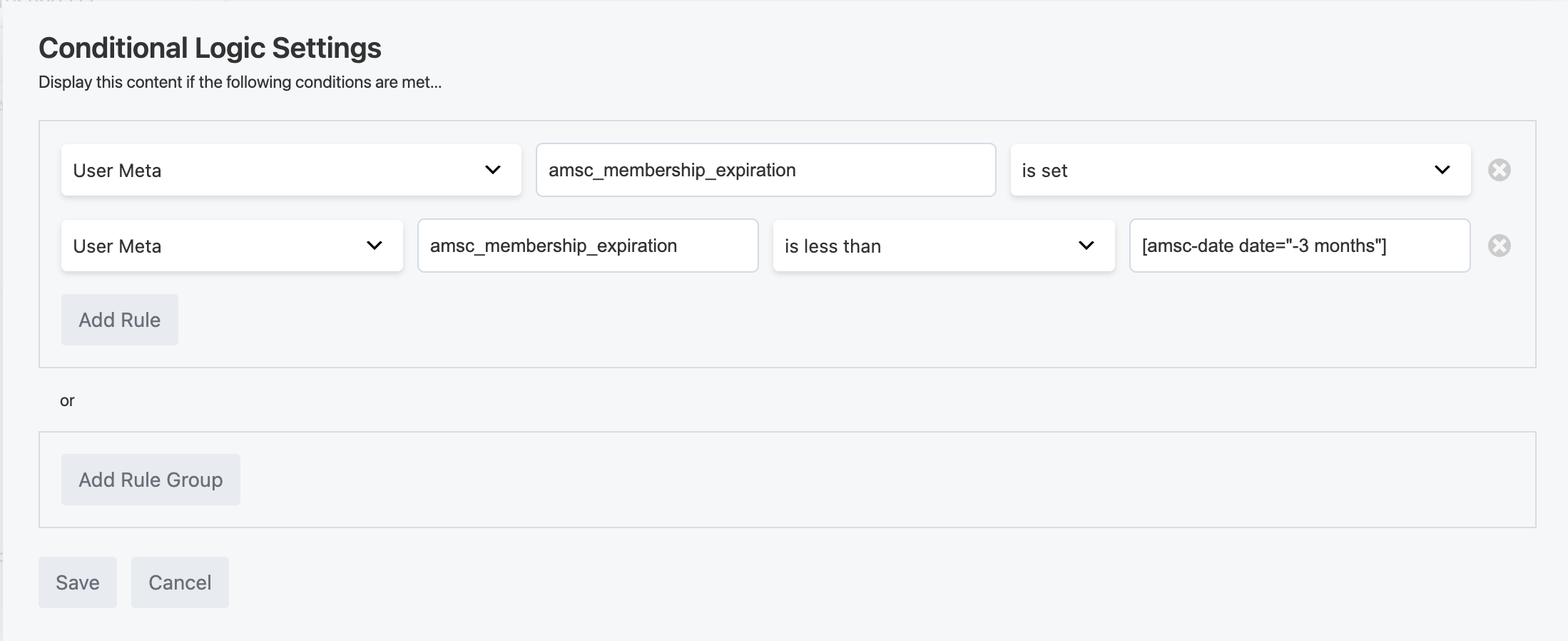
Example: Membership Expired in the Last 3 Months
This rule will reveal the module if the user's membership expired within the last 3 months. Showing them a link to renew their lapsed membership could be an effective win-back campaign and revenue recovery effort.
Rule Type: User Meta Meta Key: amsc_membership_expiration Comparison: is great than Value: [amsc-date date="-3 months"]