re:Members (Impexium)
AMS Connect makes connecting to re:Members (formerly Impexium) a breeze.
AMS Connect currently only supports the login redirect flow for re:Members SSO, not SAML.
API Credentials
In order to set up the re:Members SSO, you will need to collect the following credentials from your AMS point of contact:
- AppName
- AppKey
- AppId
- AppPassword
- UserEmail
- UserPassword
These credentials will allow you to set up both SSO and API access to your AMS environment.
re:Members will provide you with 2 sets of these credentials, one for the staging environment and one of your AMS production environment. You can add both to your website and switch between the two when you need to test with one or the other.
Honor Effective Date
On the re:Members Settings page, AMS Connect provides an option called Honor Effective Date.
- When enabled: Member role access begins only when the membership
effectiveDatehas been reached. - When disabled (default): Member role access begins on the earlier of
effectiveDateorjoinDate.
This is useful for organizations that run renewal or promotional campaigns before the next membership term starts. For example, a member may join in October (joinDate) for a membership term that starts on January 1 (effectiveDate).
- Keep
Honor Effective Datedisabled if users should receive member access immediately after joining. - Enable
Honor Effective Dateif users should not receive member access until the official term start date.
Logout Redirect
You may want to add a logout redirect on your re:Members account that logs the user out of the WordPress website and redirects them to the home page. The AMS Connect for WP dashboard has a widget called "Important Links" which has a copy-able link called Single Logout URL. Provide this URL to your re:Members point of contact and request them to set it as the logout redirect.
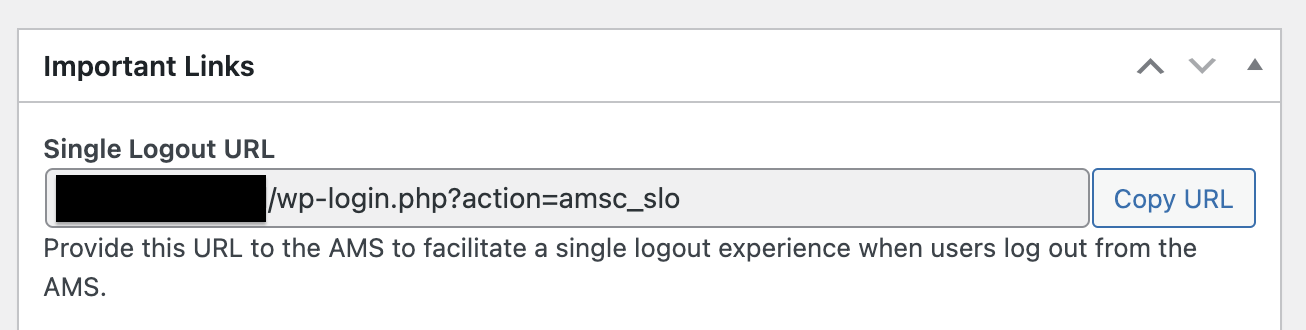
This url will end the user's current session on the WordPress website and redirect them back to the home page. This is an excellent way to ensure the user has no open sessions after they have explicitly logged out of their re:Members profile.
Limitations
The current re:Members implementation contains the following limitations:
- SSO support for login redirect flow only
- Does not handle multiple membership and will only evaluate the first membership on an individual's record to determine membership criteria
Role Mapping Status
Role mapping currently includes both stable and beta-capability mapping types.
- Stable: Member/Non-Member
- Beta: Membership Type, Certification, Committee, Security Role, Purchase, and Event mappings
For setup details, see re:Members Role Mapping.